Android beta · iPhone coming soon
Make dumb light controllers smart.
That little Bluetooth box behind your LED strips, light bars and holiday lights can do far more than its app lets it. /Glow takes it over and turns it into lighting that moves with your music and your movies, designed by you, room by room.
Setup takes two minutes. Playing with it takes the rest of the evening.
Free to download. Beta testers get Pro and /Glow AI at half price, for life. No account, no new hardware.
Where it works
Anywhere there’s a strip and a controller.
Each place gets its own location in /Glow, with its own zones and looks. Switch at the top of the app; /Glow connects only to the lights you’re using.
Home & living room
Cove and backlight strips that drift warm in the evening and settle into a night look on their own.
Entertainment center
TV backlight, speaker uplights and soffit as separate zones: calm behind the screen, the speakers on the beat.
Holiday lights
Pixel strings on the house or tree that chase, twinkle and dance to the playlist, not the same eight built-in modes every year.
Cabinets & shelves
Under-counter and shelf lighting with calibrated whites, so every run matches instead of three shades of blue-ish.
Display cases
Collections, guitars, sneakers, models: a slow breathe or a single held color that shows them off.
Man cave & game room
Game-night colors, a rig for the band practice, and a welcome scene when the lights power up.
Home bar
Back-bar and shelf glow that lifts when the music does and dims down for last call.
Storefront windows
A window that moves catches the eye from across the street. Set a look for the day and one for after close.
Restaurants & bars
Bright and clean for lunch, warm and low for dinner, alive for the late crowd, from one phone behind the counter.
Dumb to smart
Same controller. A completely different light.
The app it came with
- A fixed list of built-in modes
- Colors that don’t match what you picked
- One controller at a time, each on its own
- A music mode that mostly flickers
With /Glow
- Looks you build, or describe in plain words
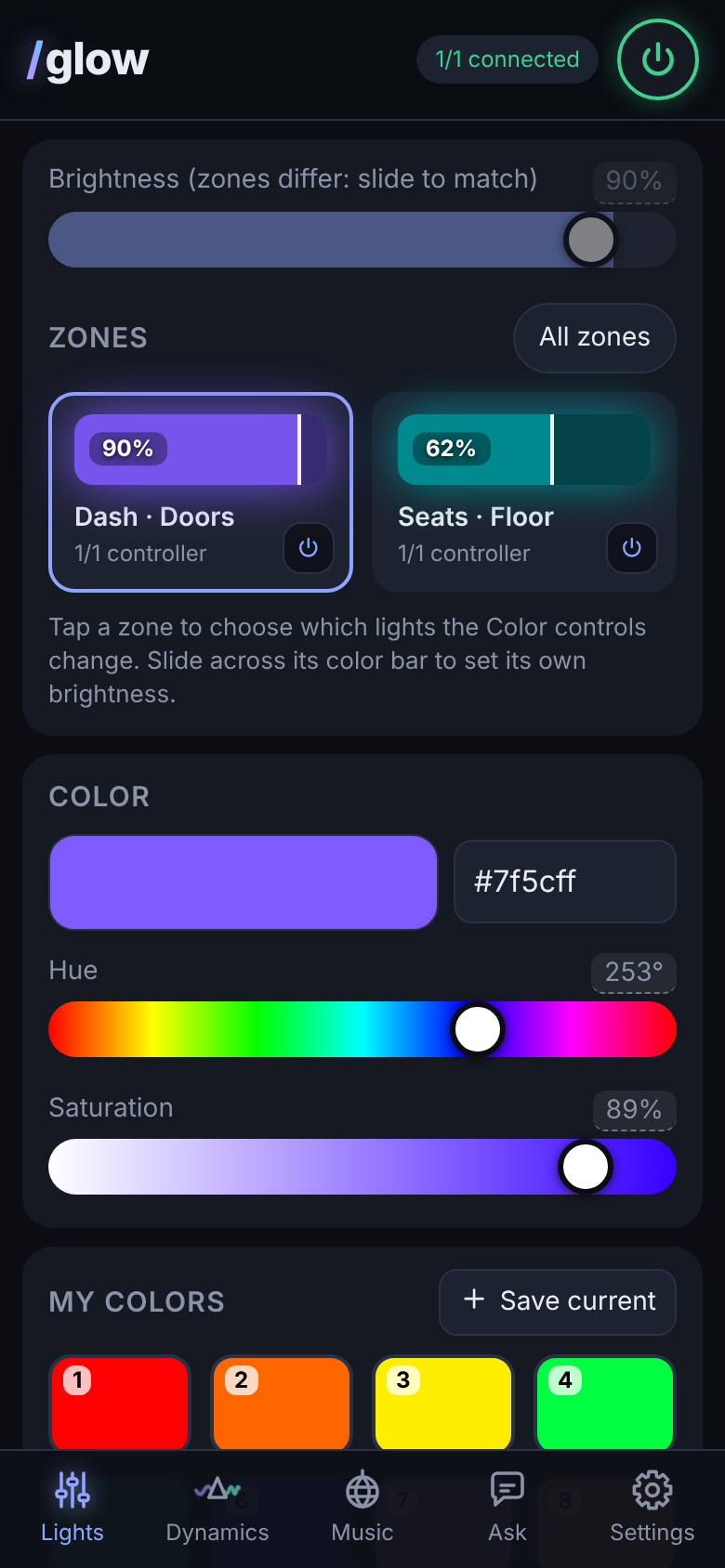
- Calibrated color and brightness for every zone
- Every controller in a room moving as one, or each doing its own thing
- A pedalboard that turns music into light
Patterns you can shape
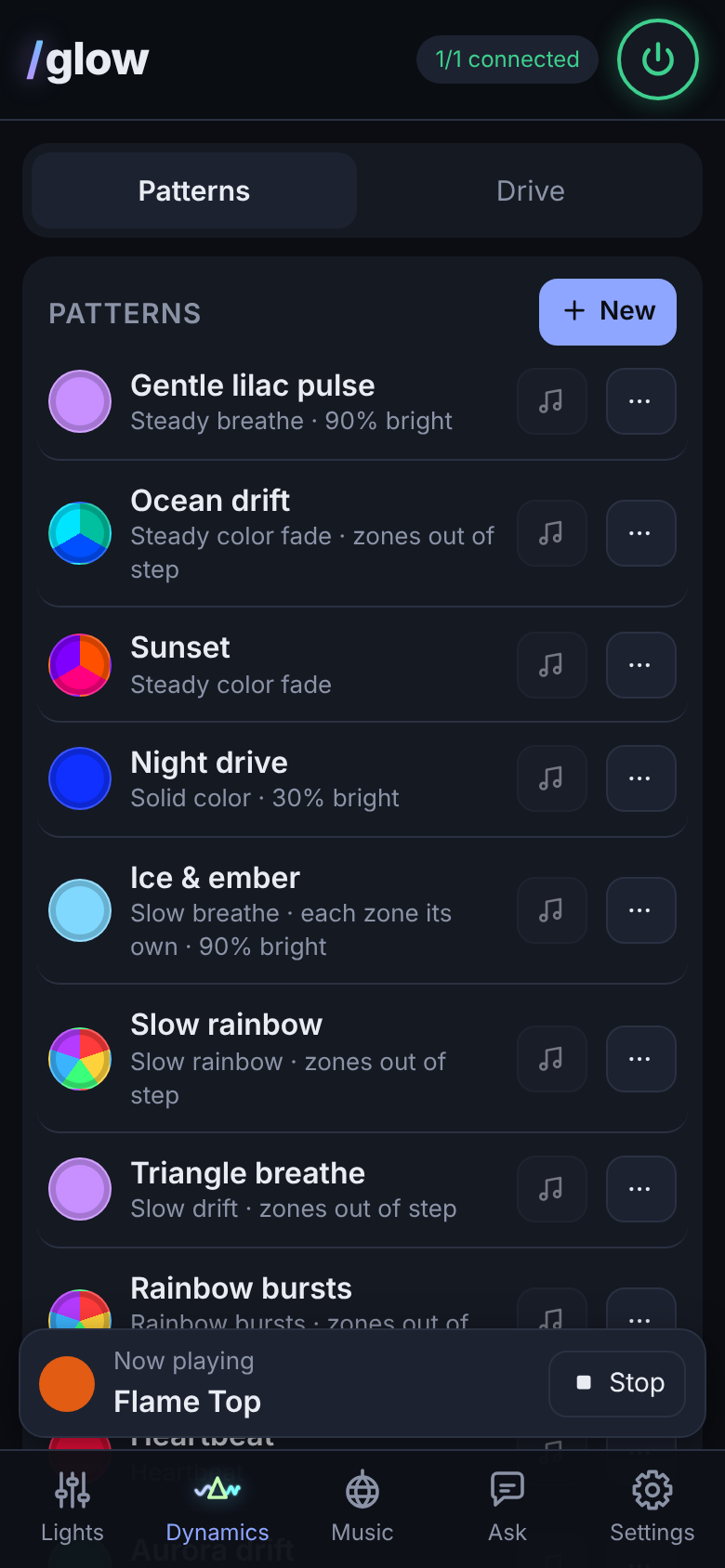
Breathe, fade, bursts, heartbeat, or your own with LFO modulators. Give each zone its own effect and speed.
Help that knows your setup
Ask why a zone looks off and it reads your actual settings. Add your own AI key and it designs looks, rigs and scenes for you.
Day → Night
Your day look blends into a calmer night look every evening, and back in the morning.
Light check
A one-minute check finds each strip’s dimmest visible level and the colors it can’t show, then works around them.
Gentle mode
Caps brightness and slows every change so nothing strobes. Turn it on after sundown, or all the time for anyone sensitive to flashing light.
{{caption}}
Music mode
Music you can see.
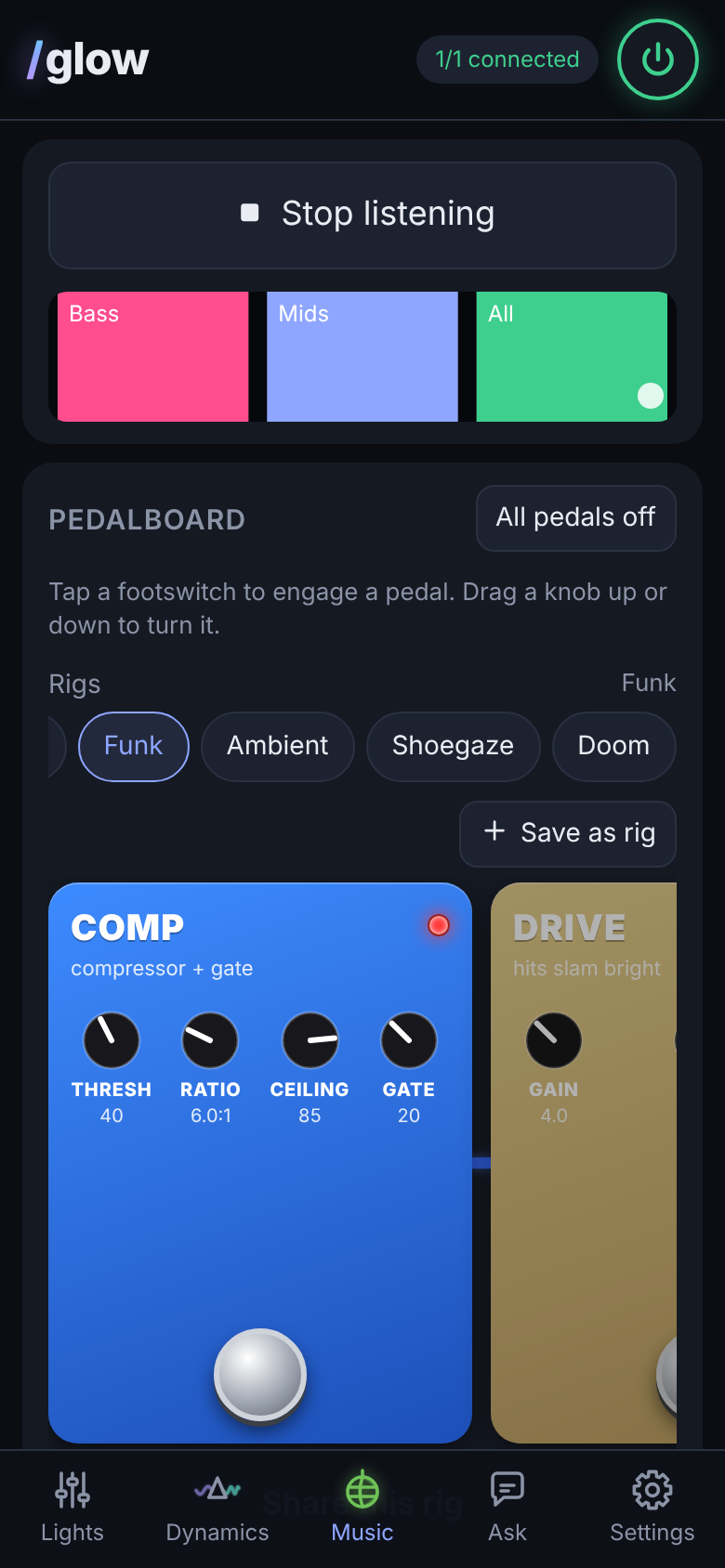
/Glow listens through your phone and runs the music through effects pedals, like a guitar rig for your lights. Stomp a footswitch, turn a knob, save the board as a rig. Every look you make is yours, so no two rooms glow the same.
Comp + gate caps the peaks, darkens the gaps
Drive & Fuzz make hits slam and sputter
Envelope sweeps color like an auto-wah
Mod chorus, flanger, phaser, rotary
Echo & Verb leave glowing trails
A rig on one zone while the others keep their look
Uses the phone’s own mic. Audio is analyzed on the phone and never leaves it.
Mood mode
Hold the power button. The room follows along.
Mood listens to what’s playing and changes your lights for you. No timeline to program, nothing to sync: pause, skip, shuffle, start late, it keeps up. Start it from the /Glow tile in your phone’s pull-down shade, no app needed.
Music mood
Put a playlist on shuffle. When the next song starts, /Glow listens for a few seconds and moves to the look from your rotation that fits it: calm looks for slow songs, big ones for the bangers, deeper colors for darker tracks.
/Glow locks onto the kick drum and shows the tempo; Half time calms the fast songs. Pick the looks in the rotation, or let it use them all.
Movie mode
The soundtrack drives the room: dark and still in the quiet stretches, calm through dialogue, big when the score swells, and a flash on every jump scare. Low thuds can stutter the lights, footstep by footstep.
Type a movie title and the AI designs its moods from that film’s world.
Set up in three steps.
-
1
Close the old app
Light controllers accept one app at a time. Force-stop the one that came with your lights.
-
2
Connect in /Glow
Power the lights, stand nearby and tap Connect. Tell /Glow where they are, and it sets up a zone for each controller.
-
3
Pick a look
Start with a built-in look, grab one from the community, or describe what you want and let the AI build it.
Will it work with my lights?
/Glow works with the inexpensive Bluetooth controllers sold with many LED strips, pixel lights and light kits. If your controller’s name starts like one of these, /Glow can most likely drive it:
ELK-BLEDOM LEDBLE LEDDMX LEDCAR SP110E SP611E – SP621E SP630E – SP64xE
Mix brands in one room: each controller becomes a zone. Not sure about yours? Join the beta and tell us the name. Testing new controllers is what the beta is for.
Private by design
- No account, no tracking, no cloud.
- Talks to your lights over Bluetooth, straight from the phone.
- Music is analyzed on the phone and never recorded or sent.
- An optional AI key stays encrypted on your phone and only goes to the provider you chose.
Plan with /Glow
Not sure where to start? Show us your space.
Describe the room to the /Glow planner. It suggests where the lights go, which controllers and strips to get, and how to power them, using only gear /Glow has tested. In the app you can show it a photo of the space.
- 1. Show the room
- 2. Get a plan and a parts list
- 3. Install, open /Glow, it’s ready
Community
Borrow a look from someone’s bar, window or tree.
Every look, rig and scene in /Glow saves as a small file. Browse what people share, filtered by the kind of place they light, and open one in two taps.
Questions
Do I need new hardware, rewiring or flashing?
No. /Glow talks to the controller you already have, the same way its original app does.
Can I run several rooms or places?
Yes. Each place is a location with its own controllers, zones and looks: your car, the TV wall, the holiday lights. /Glow connects to one location at a time.
Does it work with Google Home or Apple Home?
Not yet. /Glow runs on your phone and talks to the lights directly. Smart-home support is on the roadmap.
Is it safe for people sensitive to flashing lights?
Turn on Always gentle in Settings. It caps brightness and slows every change so no look, scene or movie scare can strobe. Effects running inside a controller itself can only be dimmed, so stick to /Glow’s own looks.
Can I use it in my shop or restaurant?
Yes. A spare Android phone near the controllers can run your lights all day, with a day look and an after-hours look.
What does it cost?
The core app is free. Pro is a one-time $9.99 unlock for extras like Day → Night, music-reactive patterns, rigs on a zone and full pedal chains, and it works with your own AI key. No key? /Glow AI is a $9.99/year add-on with no setup. Beta testers get both at 50% off, for life.
Is there an iPhone version?
It’s next, once the Android version is solid. Join the iPhone list below and we’ll tell you when it’s ready.